


SaltStack is a very good tool with a very thin interface. Most of what I do with a Salt master happens in a terminal: accept keys, run a command on a target, look up a job, check whether a minion drifted from its highstate. It works, but it does not scale to a team. Nobody else can see what ran, there is no audit trail beyond the job cache, and giving a colleague access means giving them a shell on the master.
So I built Salt Shaker: a web UI for SaltStack that works through salt-api. It ships as one container with its own users, roles and audit log, and it can also run as a plain static app that signs in to salt-api directly. AGPL-3.0, React 19 on the front end, Hono and Better Auth on the server.
What it does
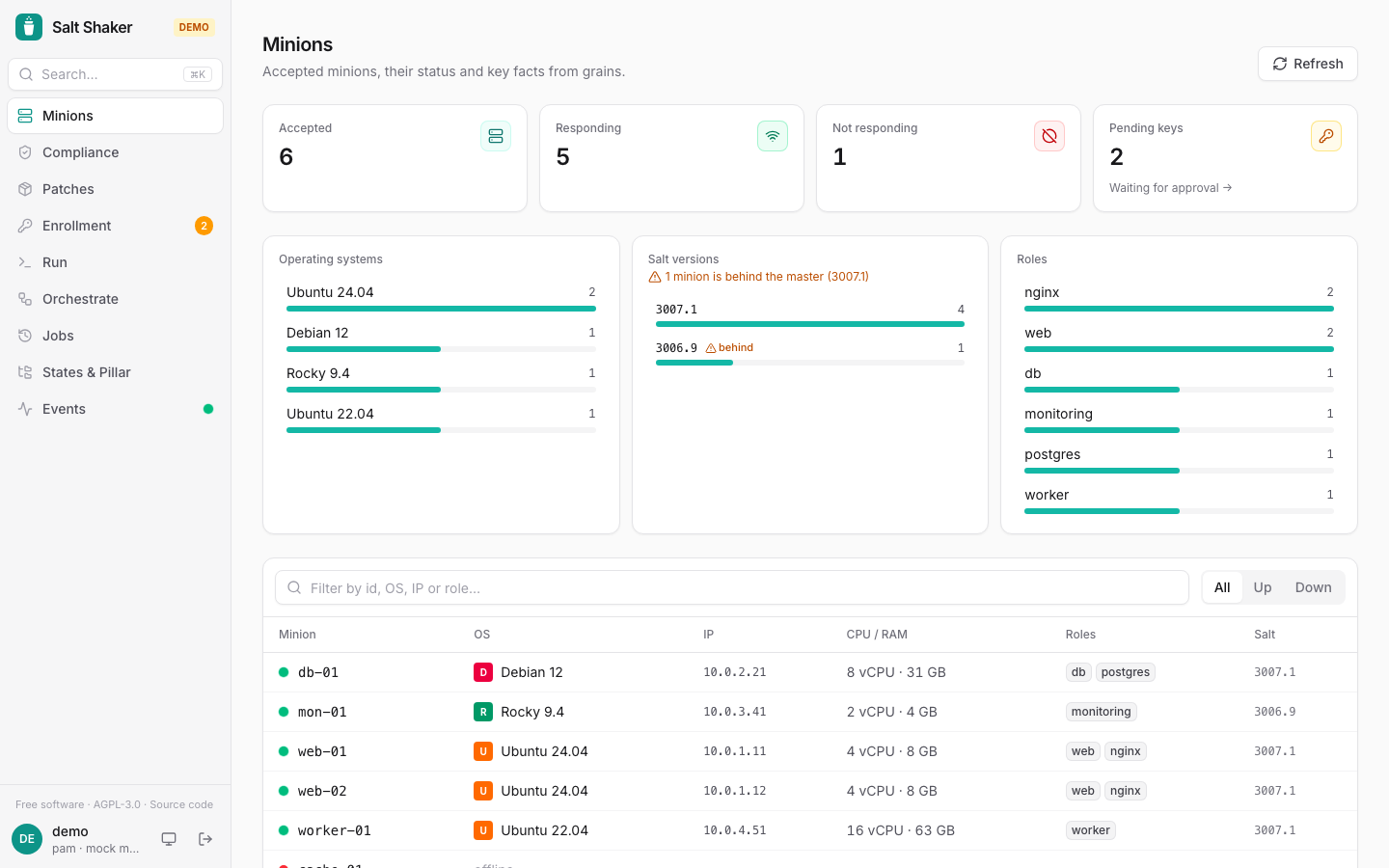
Minions. Status, OS, IPs, CPU, RAM and roles in one table. A fleet breakdown flags minions running an older Salt than the master. Each minion has its own page with grains and compiled pillar.
Compliance. Dry-runs the highstate (test=True) across a target and groups minions into in compliance, drifted, errors and no return, with a diff of what would change. One click remediates the drifted minions. Past checks are kept, so you can follow drift over time.
Patches. Pending package upgrades across the fleet, viewed by package or by minion, with installed and available versions. Upgrade a single package where it is pending, or everything on one minion.
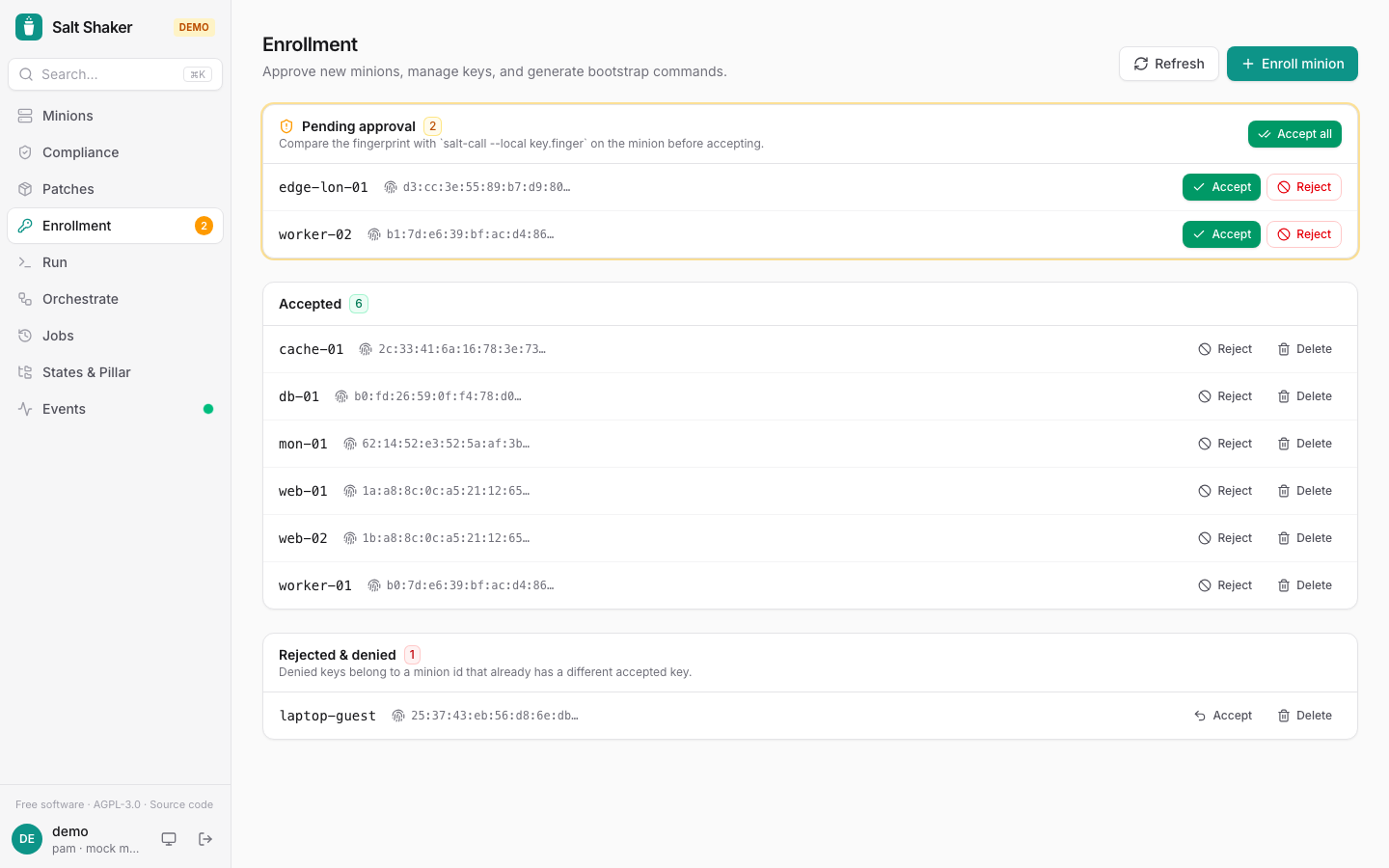
Enrollment. Accept or reject keys after checking fingerprints. It also generates bootstrap commands, including pre-seeded keys, so a new minion is trusted on first contact.
Run. Any execution module against any target type. Before you run, you see which minions the target matches. Results stream in live and state output is rendered with diffs. Risky commands on many minions need an explicit confirmation.
Orchestrate. Runs state.orchestrate files with dry-run and pillar overrides, and shows step-by-step results with per-minion output.
Jobs. Full results and a run-again button. With the server, jobs are recorded from the event bus and kept for 90 days by default, while the master itself keeps them for about 24 hours. That includes jobs started from the salt CLI, along with who ran them.
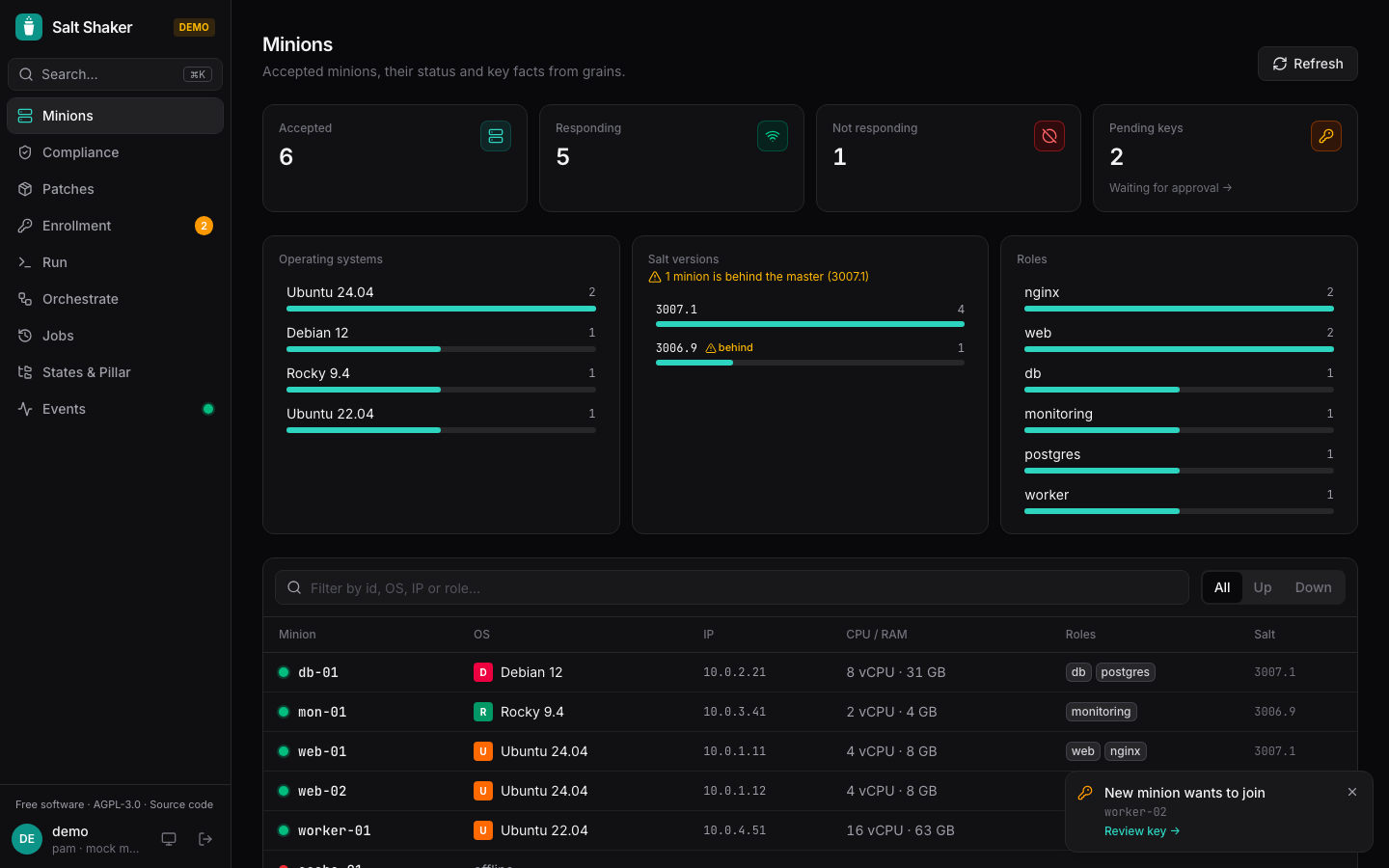
States and pillar, events, schedules. Browse file_roots and pillar_roots with syntax highlighting. Watch the master event bus live with filters, with toasts for failed jobs and minions waiting for approval. Schedule nightly compliance checks, weekly patch scans or any function on a cron schedule.
Notifications. Slack-format or JSON webhooks for drift, available upgrades, failed jobs and minions waiting for approval.
There is also a Ctrl+K palette that jumps to any page, minion, saved target or recent command.
Users, roles and SSO
This is the part that makes it usable by a team. Salt Shaker has its own accounts, so nobody needs a Linux account on the master.
- admin can do everything, including accepting keys and managing users.
- operator can run states, commands, packages and orchestration, but cannot manage keys, users or files on the master.
- viewer is read-only, and does not see pillar data, which often holds secrets.
- none cannot sign in. Useful for switching off an account, or for SSO users who have no role yet.
Single sign-on works over OIDC with Keycloak, Entra ID, Google, Authentik, Okta and others. Roles can come from IdP groups and are refreshed on every sign-in. PKCE and the id_token nonce check are in place. If you want a break-glass, set password login to admins only.
Every change and every denied attempt lands in the audit log with who, what, where and the resulting jid. Local jobs also carry the user name in their job metadata, so jobs.list_job shows who ran them.
How it works
The server signs in to salt-api with one service account and listens to the master event bus. Every request from a user is checked against their role first and only then passed on, so the user's own credentials never reach salt-api. The database is SQLite by default or Postgres when you set DATABASE_URL. Several instances can share one Postgres: sessions, history and the audit log are shared, each scheduled run starts exactly once, and one instance, elected through a lease in the database, follows the event bus. If it stops, another one takes over within about 30 seconds.
Try it without a Salt master
There is a demo mode with a simulated master running in the browser. Clone the repo, run npm install and npm run dev, then open http://localhost:5173/?demo.
For the real thing there is a full local lab: cd lab and docker compose up -d --build start a Salt master with salt-api, three minions and the Salt Shaker container on port 8080. The first visit asks you to create the admin account, and the minion keys start out pending, so you accept them on the Enrollment page. The lab also includes a mock OIDC provider so you can try group-based roles.
Deploying
One container, published for linux/amd64 and linux/arm64 to GHCR. In its simplest form you give it the salt-api URL and a service account:
docker run -d --name salt-shaker -p 8080:8080 -v salt-shaker-data:/data -e SALT_API_URL=https://salt-master:8000 -e SALT_API_USERNAME=salt-shaker -e SALT_API_PASSWORD=change-me -e SALT_API_EAUTH=sharedsecret -e PUBLIC_URL=https://salt.example.com ghcr.io/pipozzz/salt-shaker:latestThen open the URL and create the admin. The repo also has a deploy/ folder with a complete Compose setup including automatic HTTPS through Caddy, in an SQLite and a Postgres variant. A few notes from running it:
- Salt Shaker needs Salt 3006 or newer.
- On the master, enable
rest_cherrypy, and remember that Salt 3006 and later disable all netapi clients by default, so setnetapi_enable_clientsexplicitly. - The service account is as powerful as the most powerful role you hand out. Keep its password in a secret store.
- Put TLS in front, and if you proxy it yourself, turn off response buffering for
/api/salt/events, because it uses Server-Sent Events. - Behind a reverse proxy set
TRUST_PROXY=1so rate limits and the audit log see real client IPs.
Direct mode
If you do not want a server, the UI also runs as static files that sign in to salt-api directly with each user's own eauth credentials and permissions. Users, roles and the audit log are only available with the server, but for a small setup this is the lightest option.
Things salt-api does that I had to handle
Building this meant learning a few salt-api quirks on Salt 3007. The events endpoint rejects ?token=, so the UI reads the SSE stream with fetch and an X-Auth-Token header. jobs.lookup_jid wraps state returns in an outputter structure. jids use the master's local time, so the UI learns the offset from wheel replies. And offline minions are detected the way the CLI does it, with saltutil.find_job and a short gather_job_timeout. These are written down in the README in case they save you time too.
License and status
Salt Shaker is licensed under AGPL-3.0 or later. If you run a modified version for others over a network, the license requires you to offer them the source, and the UI links to it from the sidebar and the login page. It is young and I am still adding to it, so issues and ideas are welcome. Documentation is at pipozzz.github.io/salt-shaker and the code is at github.com/pipozzz/salt-shaker.
My take
I wanted a Salt interface that treats the master like production infrastructure: roles instead of shared shell access, an audit log that records denied attempts too, and compliance and patching as first-class views rather than scripts I run by hand. The decision I care about most is that users never touch salt-api credentials. The server checks the role, then makes the call with the service account, and leaves the user's name in the job metadata. If you run Salt for a team, that alone is worth the container.
SALT SHAKER · OPEN SOURCE
Give your Salt master a proper UI
Try the browser demo with no Salt master, spin up the Docker lab, or point the container at your own salt-api. Everything is in the repo.
github.com/pipozzz/salt-shaker



Member discussion