


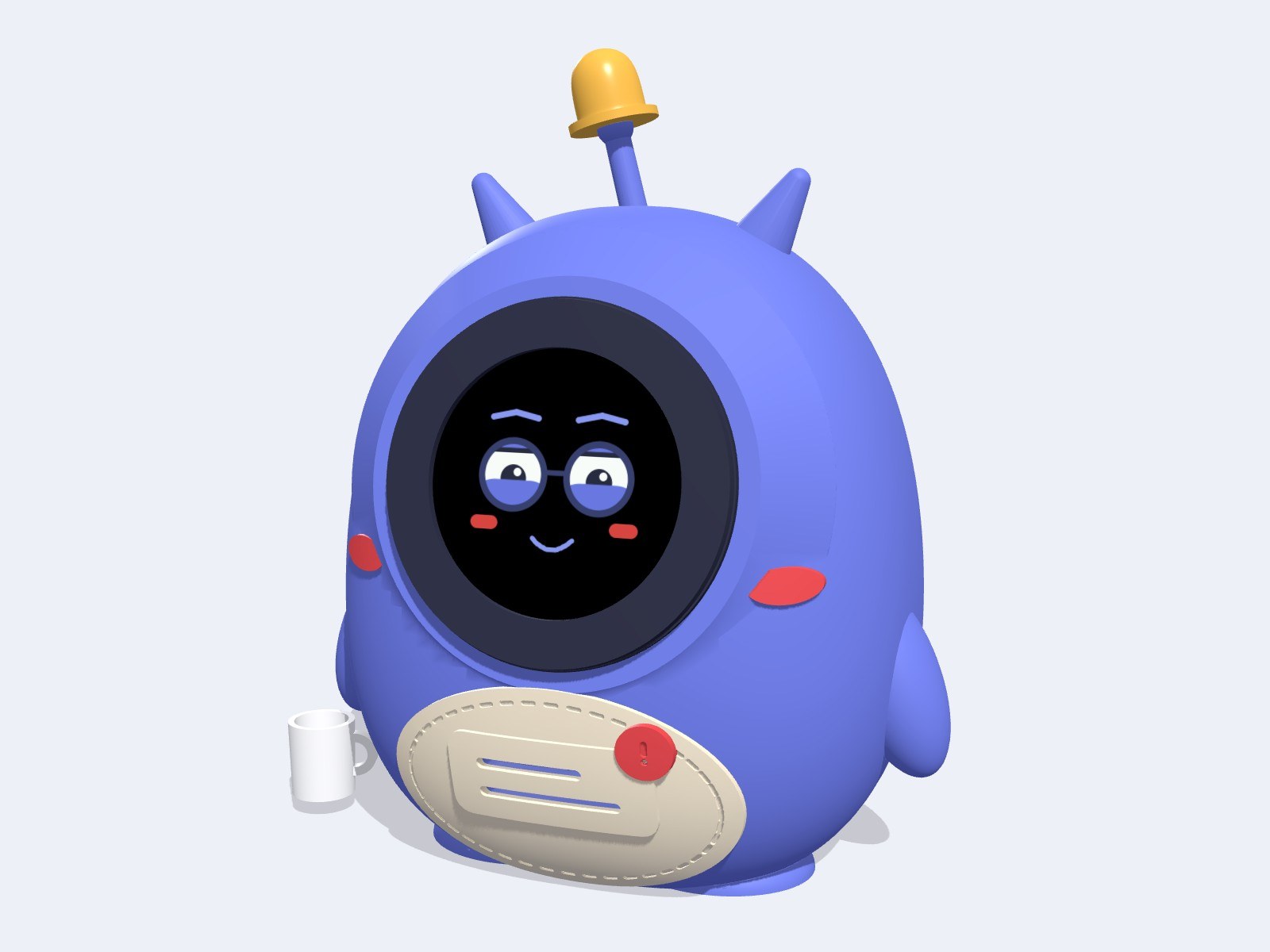
Every project needs a mascot. Goliash got one: a small desk robot named Goli. He has a round AMOLED face that animates — tired eyes during quiet periods, a surprised expression when a notification arrives, alarmed when something critical happens. When an alert fires, he dings a physical bell on his head. He runs on an ESP32-S3 and you can print him yourself.
What Goli is
Goli (github.com/pipozzz/goli-bot, pipozzz.github.io/goli-bot) is a 3D-printable desk robot that connects to Goliash and rings a physical bell when something in your infrastructure needs attention. His whole face is a 466×466 round AMOLED display with an ESP32-S3 behind it, so the eyes, brows and mouth are fully animated and respond to what's happening.
He is about 108 × 65 × 150 mm with the bell on. Every part fits a Bambu Lab A1 mini. The firmware installs from a browser over USB-C — no tools needed.
The face
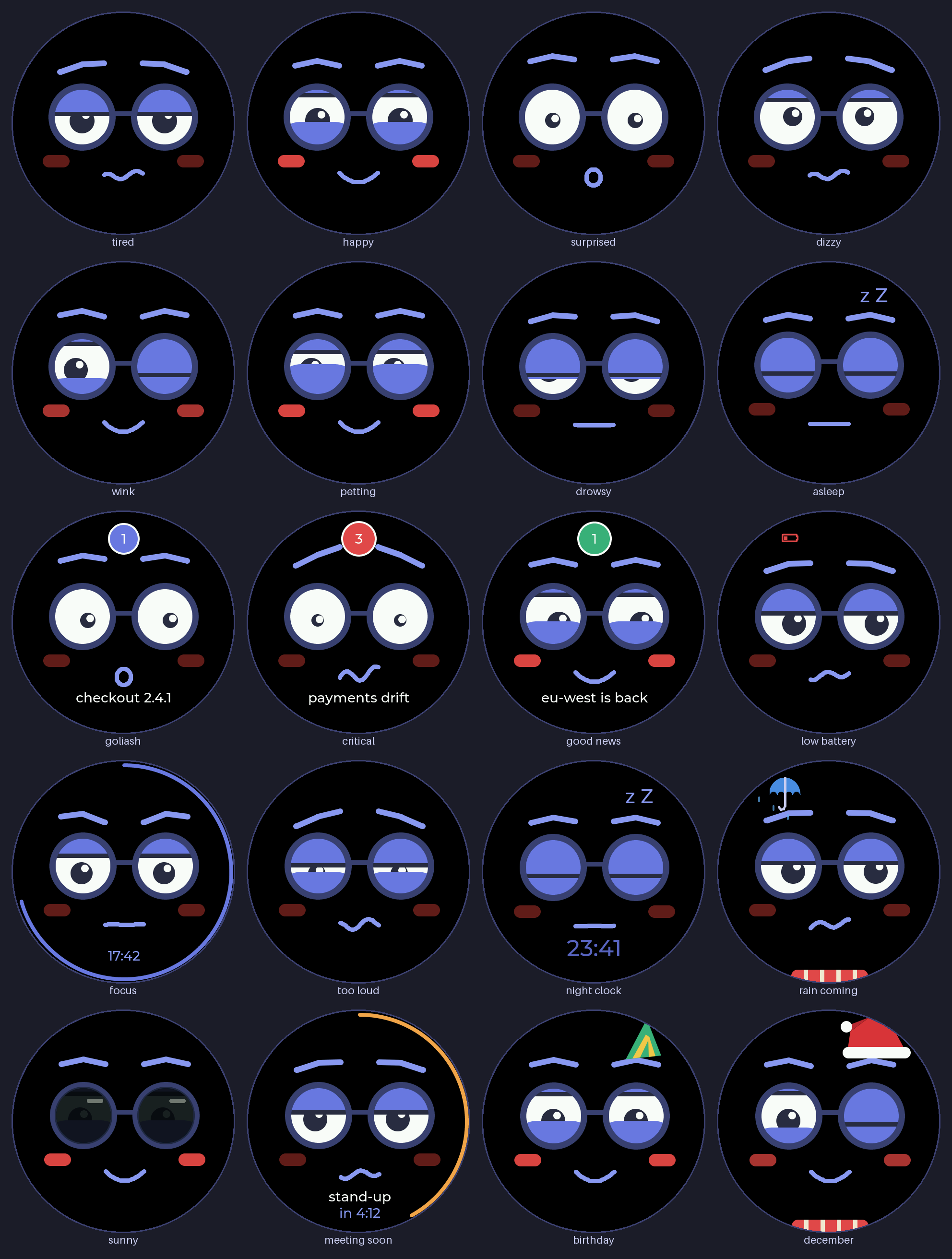
Goli's default state is tired: heavy lids, worried brows, wavy mouth. He blinks and glances around. When a Goliash notification arrives, he dings the bell, shows a surprised face, a count badge, and scrolls the title under his mouth. Something critical — agent gone quiet, vulnerability, production drift — gets a double ding, an alarmed face, and a red badge. Good news gets a chirp and a happy face.
He also responds to touch and motion. Tap his face: surprised then happy with blushing cheeks. Double tap: wink. Five quick taps: setup mode with a QR code. Pet his face (finger resting still): blissful closed eyes. Tilt him: pupils roll with the tilt. Shake him: dizzy with spinning pupils and a wobbly sound. Pick him up: surprised. After one minute idle he gets drowsy; after five minutes the screen dims and he sleeps with a yawn and breathing animation.
The whole face drifts a few pixels over time so the AMOLED doesn't burn in.
The hardware
One main board does everything: the Waveshare ESP32-S3-Touch-AMOLED-1.75. It combines the 466×466 round AMOLED with touch, an ESP32-S3, IMU, mic, speaker amp, LiPo charger and RTC on one unit. Add a small speaker (8Ω 1W, about 20×30 mm), a handful of M2 screws, and optionally a 3.7V LiPo.
The sounds are all synthesized — no audio files. The bell sound is a few inharmonic partials with different decays, modeled after a real brass desk bell. Critical alerts ring twice, a tone lower. All the other sounds (boop, chirp, wobble, yawn) are synthesized too. The speaker amp only powers on while a sound plays.
During quiet hours (22:00 to 07:00 by default, configurable) alerts are silent and only the badge appears.
Printing Goli
The multi-colour body is one object with three parts: blue body, cream belly, red accents. Open stl/goli_body_multicolor.3mf in Bambu Studio, map the three filaments to your AMS slots, and print. About 17 hours, 150 g blue / 58 g cream / 13 g red PLA, purging included.
The inside of the body is designed to print without supports — the roof is a 45° cone, and the face socket and screw bosses have 45° undersides. The bell and mug print at 0.12 mm layers; everything else at 0.2 mm.
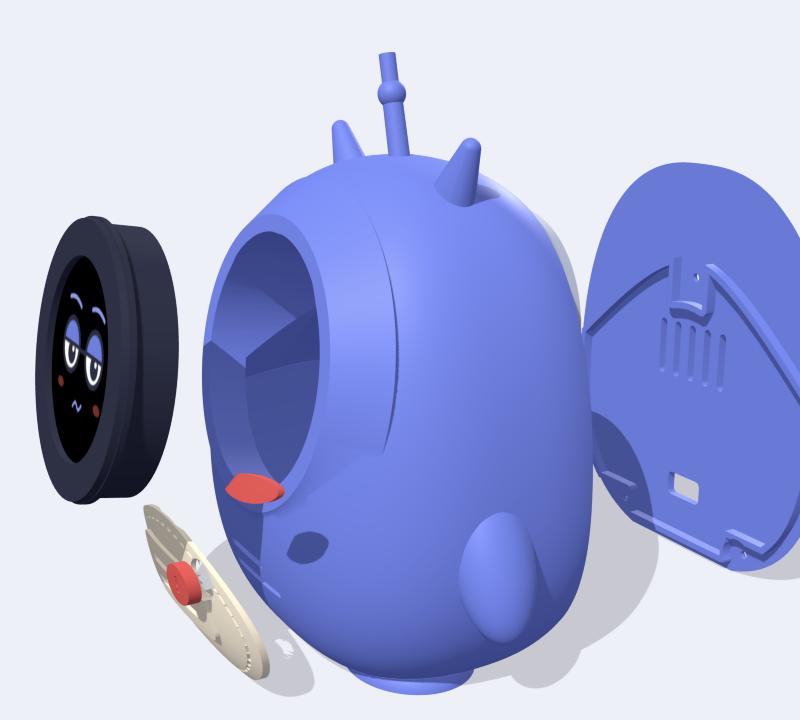
Status: designed and checked in CAD, not printed yet. Print the bezel and bracket first (about 20 min) and test-fit them on the display before you print the body.
Firmware
Install from your browser: open pipozzz.github.io/goli-bot/ in Chrome or Edge, plug the board in over USB-C, and click Install. No tools, no IDE, no Python environment needed.
Once Goli is on Wi-Fi he updates himself: once a day he checks ota.json from the installer site, downloads any new release, and restarts. The download only comes from a server with a trusted certificate, and the ESP32 checks the image before booting it.
To build the firmware yourself: it's a PlatformIO project using Arduino core 3, LVGL 8.4, the CO5300 display driver, SensorLib for touch and IMU, Espressif's ES8311 codec driver, and ArduinoJson.
Connecting to Goliash
Create a read-only token in Goliash: goliash token create -name goli-bot -role viewer. On first start, Goli opens a setup hotspot and shows a QR code — scan it, enter your Wi-Fi credentials, Goliash address and token, and tap Save.
Every 30 seconds Goli polls GET /api/v1/notifications/sent?since=... — the same list the bell in the Goliash UI shows. Each new message rings once. The first poll after power-on only learns the current state, so he doesn't ring for old news.
The design files
The body shape is generated by a Python script (goli_bot.py) from the Bézier path of the Goli artwork — change the constants at the top to scale, tilt the face, adjust depth, or adapt the fit for a different display. Run the script to regenerate all STLs and the assembly viewer.
There is also a 3D viewer at pipozzz.github.io/goli-bot/viewer.html with an exploded-assembly slider so you can see how everything fits together before printing.
License
Firmware, web installer, CI, and Python tools: MIT. The 3D model, the Goli character, renders and artwork: CC BY-NC-SA 4.0. Print and remix Goli for non-commercial use — credit "Goli desk bot by Peter Gonda" with a link to the repo and share remixes under the same license. Selling prints or remixes needs written permission.
My take
Goli started as a character sketch for Goliash and ended up as a full hardware project. The appeal is simple: infrastructure monitoring usually lives in a browser tab or a Slack channel. A physical object on your desk that rings a bell when something drifts or goes wrong is a fundamentally different thing — it's ambient, it's present, it's harder to ignore. The AMOLED face and the synthesized sounds make it feel like an actual character rather than just a notification light.
The design is open: print it, remix it, adapt the firmware. The Python-generated body means the proportions are easy to change without touching a CAD tool. And the browser-based firmware install means getting it running is genuinely a five-minute job once the hardware arrives.
GOLIASH · goliash.dev
Print Goli for your desk
All files are in the repo. Install the firmware from your browser. Connect to your own Goliash instance and he starts ringing for real alerts within minutes.
github.com/pipozzz/goli-bot →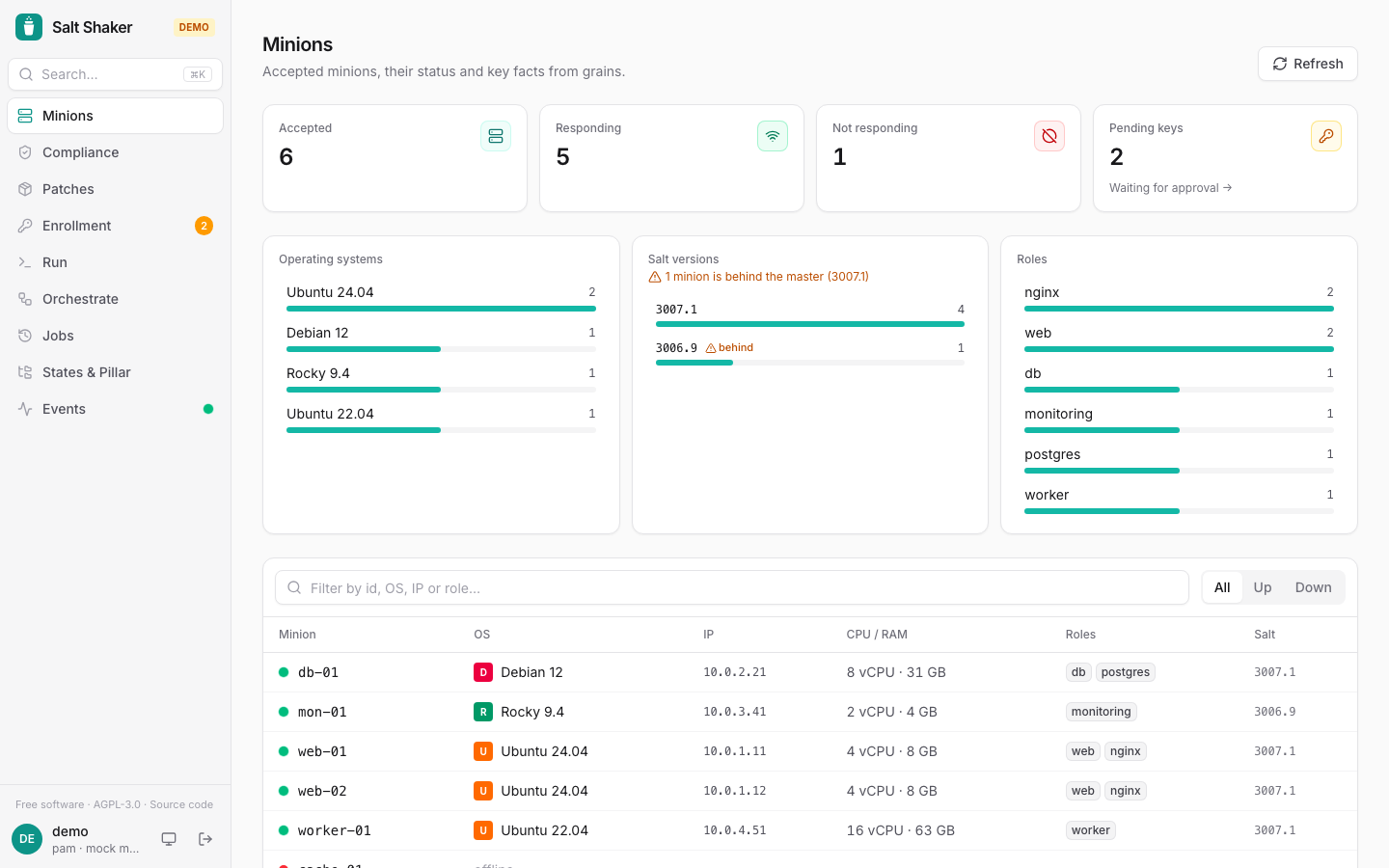



Member discussion