

OpenChamber is an agentic development environment — the kind of tool that makes the whole board visible when you're running AI coding agents across multiple sessions, repositories, and devices. Start an agent on your desktop, pick up the same session from your phone over an encrypted Private Relay connection, no open ports required. 11,900+ GitHub stars, MIT licensed, v2.5.0 (October 2026).
What OpenChamber is
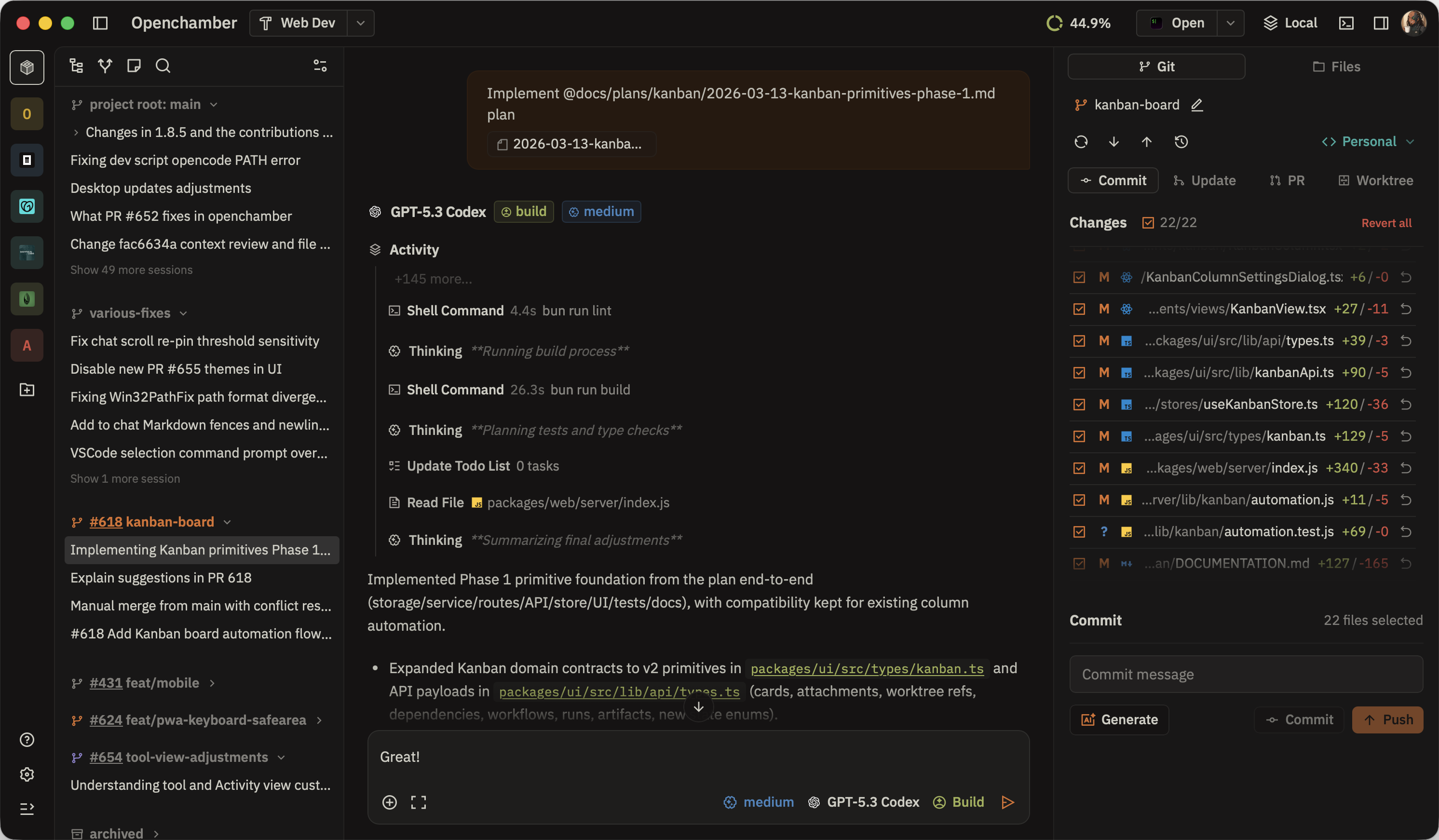
OpenChamber (openchamber.dev, github.com/openchamber/openchamber) is an agentic development environment for AI coding. MIT licensed. Desktop apps for macOS, Windows, and Linux. iOS and Android apps in beta. Browser version. VS Code extension. Runs agents on your machine and connects to your servers. Works with any model you already use.
Independent project — not affiliated with the OpenCode team, despite the similar name.
Private Relay — phone access without open ports
Pair a phone once with a QR code and it reaches your desktop agents over Private Relay: end-to-end encrypted, no open port on your router, no Tailscale or VPN configuration needed. Start a session from your desktop, check progress from your phone, approve permission requests from anywhere.
Multi-run with worktrees
Send one prompt to several models at once. Each run gets its own worktree and branch. Keep the result you like best or fuse the answers into one. The UI shows each run's status, file count, and duration side by side — no switching between terminals to compare outputs.
From the website, a real example: Claude Opus 5.5 adds exponential backoff (+142 -38 across 6 files in 4m 12s), GPT-6 Astra wraps the uploader in a retry helper (+97 -12 across 3 files in 3m 05s), Gemini 4 Argon is still working. You pick the diff you want, or fuse them.
Diff walkthrough
Large diffs are hard to read. OpenChamber's walkthrough puts the diff in the order it makes sense — explains each step in a sentence, marks the key change, so you know what to read first. For a big feature branch, this turns a 300-line diff into a narrative you can actually follow.
Goals and scheduled tasks
Set a goal and the agent keeps working, turn after turn, until a separate check says it's done or stuck. No babysitting — the agent evaluates its own progress against the goal and continues autonomously.
Scheduled tasks start sessions on their own — nightly security review of merged PRs, issue triage three times a week, whatever recurring coding task makes sense. Each scheduled task has its own model and mode configuration. The last run status and next run time are visible at a glance.
Tickets and 160+ integrations
Start a session from a GitHub issue, pull request, or Linear ticket and the agent gets the whole thread as context — no copy-pasting. The integrations catalog has 160+ services, each installing with one click. Figma, Sentry, and most of the tools a development team already uses are in there.
Platforms
macOS, Windows, Linux desktop. iOS beta (TestFlight). Android beta (GitHub releases). Browser version. VS Code extension. The same session is accessible from all of them — start on desktop, continue on phone, review in VS Code.
Privacy
OpenChamber collects nothing about your work. The code is MIT-licensed so anyone can check. No telemetry, no usage data sent to OpenChamber servers. Your agents run on your machine, your API keys stay local.
Who it is for
Good fit: developers running multiple AI coding agents simultaneously who need a unified view; anyone who wants to run agents on a desktop or server and access them from a phone without VPN or open ports; teams who want to compare multiple models on the same task side-by-side; developers integrating tickets and tools (GitHub, Linear, Figma, Sentry) directly into agent sessions; users who want goals and scheduled tasks without writing orchestration scripts.
Not ideal: users who want a fully managed cloud service rather than self-hosted; organizations needing formal enterprise support contracts; teams already satisfied with a single-agent, single-device workflow.
My take
The Private Relay pairing is the standout feature — E2EE phone access to your desktop agents with a single QR code scan is genuinely more convenient than anything involving Tailscale or ngrok. The multi-run with separate worktrees turns model comparison from a manual chore into something the tool handles for you. The diff walkthrough is the kind of detail that takes a tool from "functional" to "I actually enjoy using this." 11.9k GitHub stars for a project that wasn't affiliated with any major lab is a strong signal. MIT licensed, actively developed (v2.5.0 shipped two days ago).
PIPOLINE · DEVOPS CONSULTING
Need help setting up OpenChamber for your team?
Server deployment, Private Relay pairing for the whole team, integrations setup (GitHub, Linear, Sentry), scheduled task configuration, and VS Code extension rollout.
Get in touch at pipoline.com


Member discussion