


I've been using Ghost for over four years across multiple sites — DevOpsPack is just the latest. Before settling on it I evaluated WordPress, Astro with a headless CMS, and a few other options. Ghost won every time, and I haven't second-guessed that decision since. I also contribute to the project, which gives me a slightly different perspective than a typical user.
This is an honest overview of what Ghost is, what it's good at, where it falls short, and why I keep choosing it.
What Ghost actually is
Ghost is an open-source publishing platform built on Node.js. It launched in 2013 as a reaction to WordPress becoming too complicated — the original pitch was "just a blogging platform." Over the past decade it's evolved significantly, but the core philosophy hasn't changed: a fast, clean platform focused on content, with membership and newsletter features built in natively.
It's MIT licensed, meaning you can self-host it for free on your own server. Ghost Foundation also runs Ghost(Pro) — a managed hosting service where 100% of revenue funds development of the open-source project. No investors, no advertising model, no pivot risk. The foundation structure is worth noting: Ghost is genuinely independent infrastructure, which matters for anyone building a long-term publication.
In April 2026, Ghost was recognized by the Digital Public Goods Alliance as a digital public good — a meaningful acknowledgment for a project that's been quietly powering independent publishing for over a decade.
The editor
The Ghost editor is one of the best writing environments I've used. It's card-based: each element — paragraph, image, code block, callout, embed, gallery — is a discrete card that you insert and move around. The writing surface itself is clean and distraction-free. No toolbars cluttering your view, no formatting options you didn't ask for.
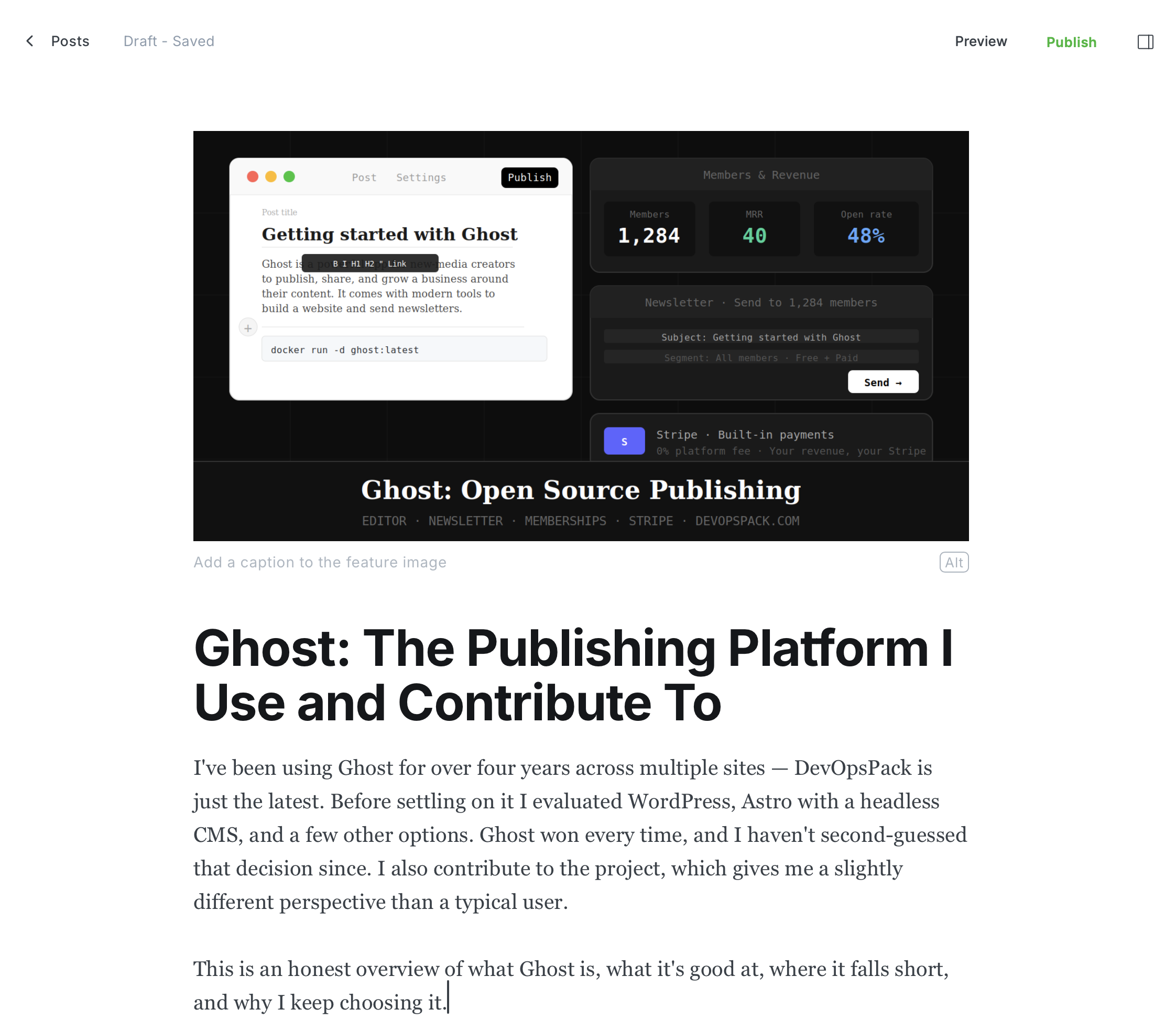
For technical writing specifically, the code block card is good. Syntax highlighting, language selection, and clean copy-paste behavior all work without plugins or configuration. This matters more than you'd think — technical posts with broken code formatting are annoying to both write and read.
The editor also handles embeds well. Paste a URL and Ghost figures out whether it should be a link, a bookmark card, or an embed. YouTube, Twitter, GitHub gists, CodePen — most things just work.
Built-in newsletter and membership
This is where Ghost has pulled clearly ahead of alternatives. Newsletter sending, member management, and paid subscriptions are all built into the core platform. No plugins, no third-party integrations required for the basics.
You write a post, publish it, and Ghost can simultaneously put it on your site and email it to your subscriber list. The email rendering is solid — clean HTML emails that look good in Gmail, Apple Mail, and Outlook. Ghost recently added newsletter preview for inbox cutoff detection, so you can see before sending whether your email will get clipped.
Membership tiers, free vs paid content, Stripe integration for subscriptions — it's all there. For anyone building a publication that eventually wants to monetize, this removes a significant amount of integration work.
Subscriptions and Stripe
Ghost has native Stripe integration — no plugin, no third-party service, no extra fee on top of Stripe's own processing costs. You connect your Stripe account once and Ghost handles the rest: subscription creation, billing, failed payment retries, cancellations, and member tier management.
The subscription model is straightforward: you define free and paid tiers, set monthly and yearly pricing, and Ghost handles the checkout flow. Members get a Stripe-powered payment page, subscribe, and immediately get access to paid content. The whole flow takes about 30 minutes to set up from scratch.
A few things worth knowing about Ghost's subscription handling:
- 0% platform fee — Ghost takes nothing on top of Stripe's standard processing fee. What you charge is what you keep minus Stripe's ~2.9% + $0.30
- Complimentary members — you can manually grant paid access to anyone without charging them, useful for press access or early supporters
- Offers and discounts — native discount codes and limited-time offers for reducing churn or running promotions
- Multiple newsletters — paid members can be segmented into different newsletter lists
For anyone considering building a paid publication, the economics are significantly better than Substack (10% fee) or Beehiiv's paid plans. Ghost's only cost is your hosting and Stripe's standard rates.
Performance and SEO
Ghost is fast out of the box. The default themes are lightweight, there's no plugin ecosystem adding JavaScript to every page, and the server-side rendering is efficient. On a reasonably specced VPS you'll get sub-200ms response times without any special optimization.
SEO is handled natively: automatic XML sitemaps, Open Graph and Twitter card meta tags, structured data, canonical URLs. You don't need to install an SEO plugin and configure it — the sensible defaults are already in place. For a technical blog where I want content to rank without spending time tweaking SEO settings, this is the right approach.
Themes and customization
Ghost themes are built with Handlebars.js templating. If you know HTML and CSS you can build or modify a theme — it's not a complex system once you understand the template hierarchy. The Ghost theme marketplace has a good selection of well-designed themes, both free and paid.
DevOpsPack runs on Reiro, a theme built specifically for technical content and developer blogs. The theme ecosystem is smaller than WordPress's, but the quality bar is generally higher — Ghost themes tend to be well-coded and performant rather than feature-bloated.
Full creative control does require either finding a theme that fits or writing one yourself. Ghost is not a visual page builder. If you want drag-and-drop layout control, you're in the wrong place.
Self-hosting vs Ghost(Pro)
I self-host on Hetzner across my Ghost sites. The setup is straightforward for anyone comfortable with Linux and Docker: MySQL 8, Node.js, and the Ghost CLI or a Docker Compose setup. The Ghost CLI handles migrations, updates, and config management cleanly.
Ghost(Pro) is the managed option. Setup takes minutes, includes global CDN, automatic backups, and SSL. Pricing starts around $9/month for small publications. For anyone who doesn't want to manage a server — or just wants to focus on writing — it's a reasonable cost for the time it saves.
The self-hosting path is not for everyone. Updates need to be managed, backups configured, and server maintenance handled. For a technical audience that already runs servers, it's fine. For everyone else, Ghost(Pro) is probably the right call.
Ghost vs WordPress
The honest comparison: WordPress can do more, Ghost does less better.
WordPress has 60,000+ plugins, covers every conceivable use case, and runs most of the internet. It's also accumulated decades of technical debt, security vulnerabilities through plugin ecosystem complexity, and a hosting landscape full of slow, over-configured sites.
Ghost does content publishing, newsletters, and memberships, and it does them cleanly. It's faster, more secure, and easier to maintain than a typical WordPress setup. The trade-off is a much smaller ecosystem — if you need WooCommerce, advanced forms, complex page builders, or specific integrations, WordPress is still the answer.
For a technical blog or newsletter-first publication, Ghost is the better tool. The scope matches the use case.
Ghost vs Substack / Beehiiv
Substack and Beehiiv are newsletter platforms first. They're fully managed, require no technical setup, and are genuinely good for writers who want to start a newsletter with zero friction.
The difference is ownership. On Substack, your subscriber list, your content, and your publication all live on Substack's infrastructure under Substack's terms. Ghost gives you full ownership — your data, your server, your subscribers. If Ghost (the company) disappeared tomorrow, nothing about your publication would change.
For anyone building a long-term publication that doesn't want platform dependency, Ghost is the more defensible choice.
Contributing to Ghost
Ghost is actively developed — the changelog in 2026 alone includes audience segmentation features, content sharing tools, email template customization, Transistor.fm podcast integration, and churn prevention tools for paid members. The codebase is on GitHub, well-organized, and the team is responsive to issues and PRs.
Contributing to Ghost is a good way to understand how a production Node.js application is structured at scale. The test coverage is solid, the PR review process is thorough, and the maintainers are pragmatic about what gets merged. I contribute when I run into something that bothers me enough to fix it — which is how most good open source contributions happen.
My take
Four years across multiple Ghost sites and I'd make the same choice again every time. It does what a publishing platform needs — clean editor, fast pages, good SEO, email newsletter, membership support — without the overhead of a platform trying to be everything.
The self-hosting path fits my workflow. I already run servers, I'm comfortable with Node.js deployments, and I like controlling where my data lives. For anyone without that background, Ghost(Pro) removes the operational overhead at a reasonable price.
If you're a developer or technical writer starting a blog or newsletter in 2026, Ghost is worth a serious look. The combination of open source, clean architecture, and built-in monetization tools is hard to match.
PIPOLINE · DEVOPS CONSULTING
Want to self-host Ghost on your own server?
Ghost runs great on a VPS — I've been doing it for years. I can handle the full setup for you: server provisioning, Ghost installation, MySQL, SSL, backups, email configuration, and custom domain. You get a production-ready Ghost instance without spending a day on it.
Get in touch at pipoline.com →


Member discussion